HOW TO:
Handling quarantine notification emails from Microsoft 365 Security
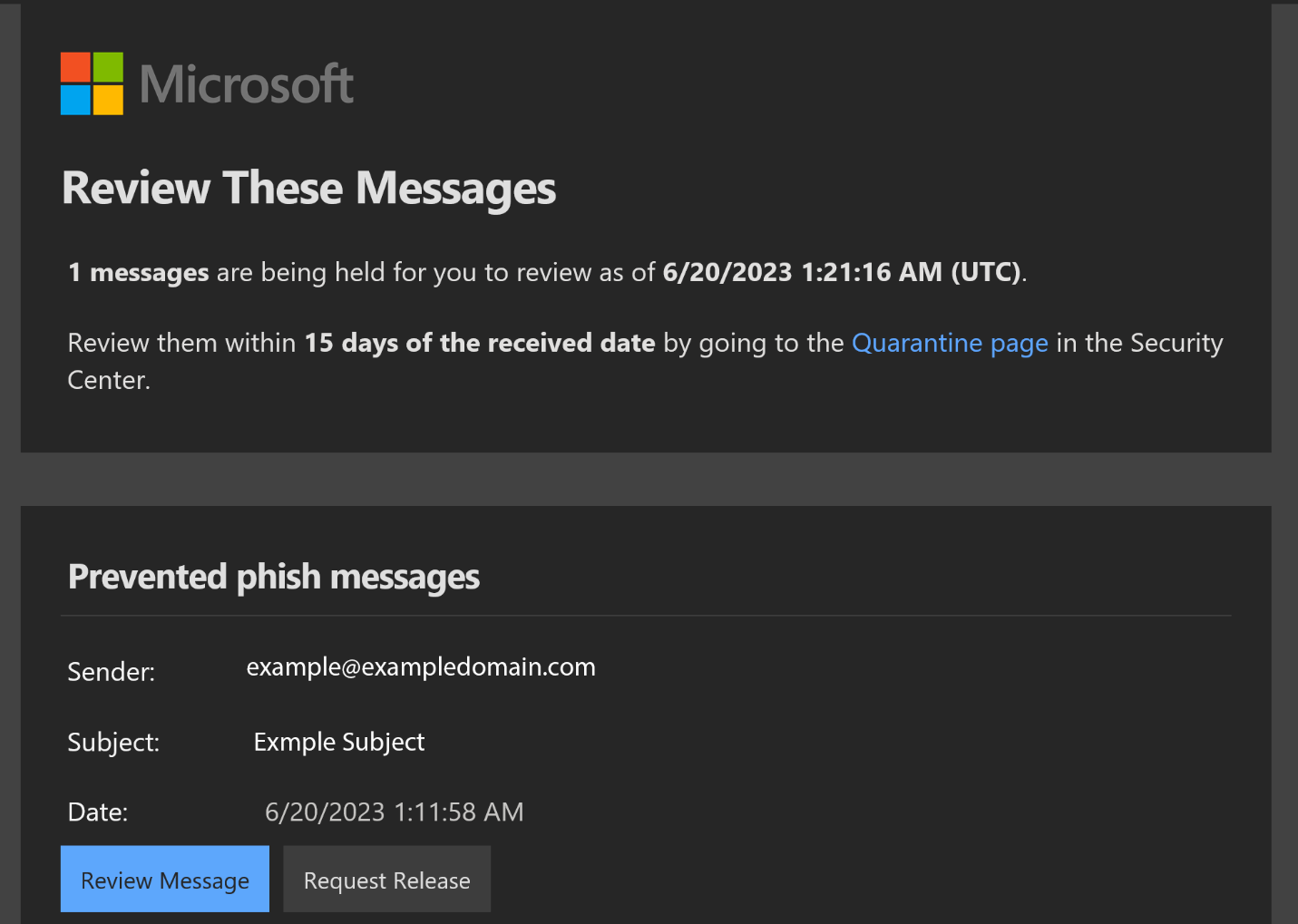
These emails are part of our security measures to protect you from potential threats and ensure the safety of your email account. It is crucial that you handle these emails correctly to maintain the integrity of your Microsoft account.
Here are a few guidelines on how to handle emails from Microsoft Quarantine:
1. Purpose of the Emails:
These emails you receive are notifications regarding emails that have been placed in quarantine because they may contain potentially harmful content or attachments. These emails serve as alerts and require your attention.
2. Review the Quarantine Notification:
 When you receive these emails, it means that an email has been flagged as potentially dangerous and placed in quarantine. Take the time to carefully review the notification and the reasons provided for the quarantine. It includes details about the sender, subject line, and a brief description of the potential threat. You can further review the message by clicking the button in the email.
3. Determine the Legitimacy:
Before taking any further action, it is important to determine the legitimacy of the email in question. Look for signs of authenticity such as proper grammar, official branding, and relevant email content. The email notification from Microsoft will be coming from this address: ‘quarantine@messaging.microsoft.com’ and have the subject: “Microsoft 365 security: You have a message in quarantine”.
Remember, Microsoft will never request personal information or account credentials via email, so be cautious of any such requests.
4. Validate the Email:
If you suspect an email in quarantine to be suspicious or a potential phishing attempt, no further action is needed on your part. The quarantine filter did its job, hooray!
If you have determined that the email is legitimate and was incorrectly flagged, click on the  button in the notification email.
You may also submit a ticket to the Help Desk letting us know you submitted a Release Request.
5. Report Suspicious Emails:
If you come across suspicious emails claiming to be from Microsoft but display signs of phishing or other malicious intent, please report them immediately to the IT department. Reporting such incidents will help protect you and others from potential security threats.
We understand that email security is a top priority, and we appreciate your cooperation in handling the Microsoft Quarantine notification emails correctly. By following these guidelines, you can help ensure the safety and integrity of your email account.
If you have any further questions or concerns, please contact us. We are here to assist you.
Thank you for your attention and ongoing commitment to email security.
Was this article helpful?
That’s Great!
Thank you for your feedback
Sorry! We couldn't be helpful
Thank you for your feedback
Feedback sent
We appreciate your effort and will try to fix the article