Follow these steps if you need to uninstall and reinstall Adobe Acrobat from your MacOS device.
How to Uninstall
- Click the Creative Cloud app icon up in your top Mac bar

- You should be brought directly to the Apps tab, but if you aren't click the Apps tab from the left hand menu
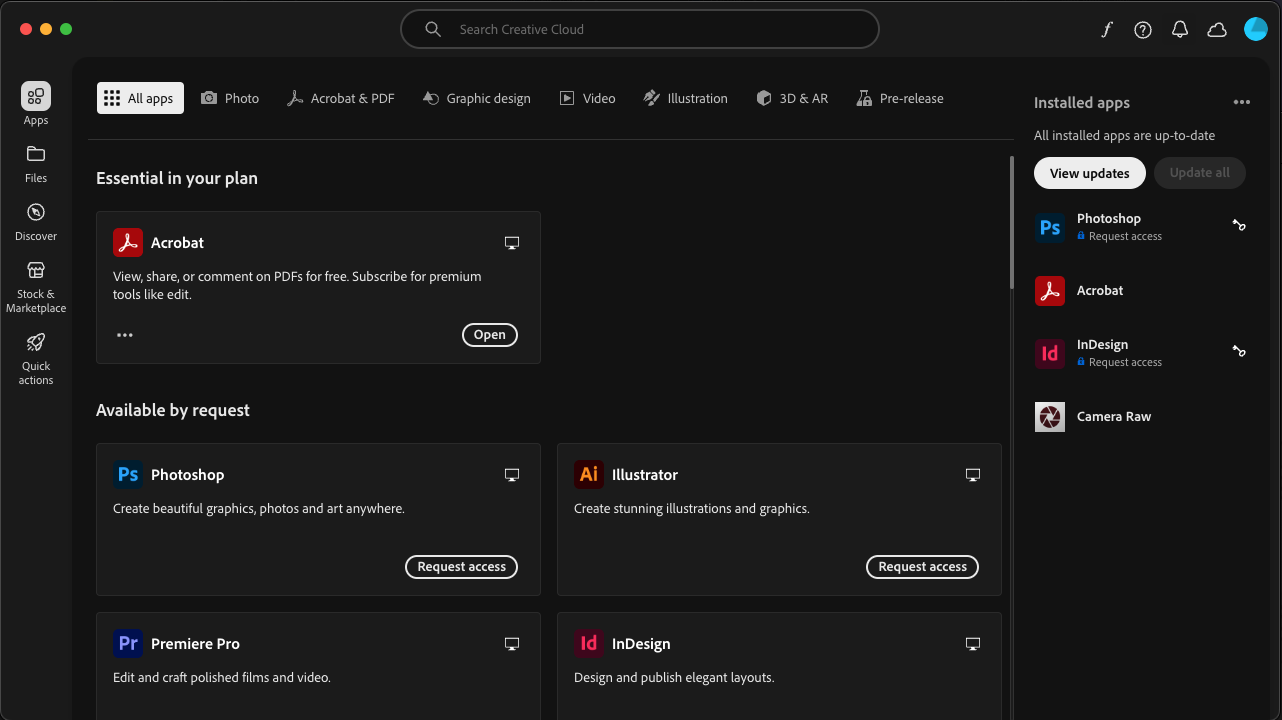
- Click the 3 horizontal dots in the Acrobat section
- Choose Uninstall
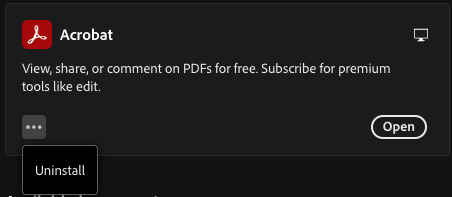
The Acrobat app will begin to uninstall, you should see a percentage counter noting the status of that process. Once that completes then the Acrobat app section will begin to should the Install button.
How to Install
- Click the Creative Cloud app icon up in your top Mac bar
- You should be brought directly to the Apps tab, but if you aren't click the Apps tab from the left hand menu
- Click the Install option in the Acrobat section
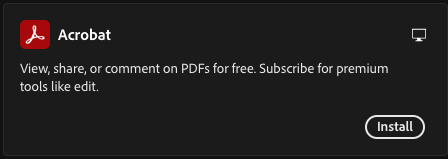
The Acrobat app will begin to install, you should see a percentage counter noting the status of that process. Once that completes then the Acrobat App section will begin to show the Open button.
Was this article helpful?
That’s Great!
Thank you for your feedback
Sorry! We couldn't be helpful
Thank you for your feedback
Feedback sent
We appreciate your effort and will try to fix the article